Best daily journaling apps in 2027: 8 apps compared honestly
Day One is the best daily journaling app overall: it is the most complete and the most trusted archive, rated 4.83 from 119,063 ratings. Apple Journal is the best free one because it is built into the iPhone, Daylio is the best if you dislike writing, Stoic is the best for twice-a-day reflection, Journey for prompts across devices, Rosebud for a journal that answers back, and Diarium for a one-time purchase instead of a subscription. Natus is the pick if you want your week read back to you in your own words every Sunday.
What people say in their own reviews
Verbatim from public 1 and 2 star App Store reviews of other apps in this category, not Natus.
I refuse to pay to have access on both my iOS purchase and macOS. Sorry2 star review on Day One
I refuse to pay to have access on both my iOS purchase and macOS. Sorry My data is in the cloud. Too bad you require more cash to access it on macOS natively.
Not great2 star review on Apple Journal
Can not export journal or share with anyone
Be careful with the annual subscription!1 star review on Daylio
Be very careful before starting the free trial! The app only offers an annual subscription, with no monthly option.
Horrible1 star review on Stoic
They'll rope you into a "trial" that charges you $40 for a year long membership to an app that essentially has no features unless you're paying for the $100 tier.
Do not buy1 star review on Rosebud
I paid for the subscription and they put caps on how much you can use it, so after only 2 days of writing, all the features lock & are unusable.
Fraudulent Charges1 star review on Journey
Nearly a year after canceling thru Apple I'm being charged again for cloud services.
The options
Day One
Best for: the fullest daily journal
Rated 4.83 from 119,063 ratings. Day One is still the benchmark: photos, multiple journals, locations, good search and the best export tools here. If you want an archive of your life, this is the one. Recent reviews complain about paying again for the macOS version and about slow support, and not about the writing experience itself.
Apple Journal
Best for: free and already installed
Rated 4.78 from 345,475 ratings, the most reviewed app on this page. It is free, built into the iPhone, and uses your photos, music and workouts as prompts, which makes a daily entry unusually easy. The most repeated complaint is one worth taking seriously: people say they cannot export or share their journal, so it is comfortable to write in and awkward to leave.
Daylio
Best for: journalling when you hate writing
Rated 4.77 from 62,592 ratings. Tap your mood, tap a few activities, add a line if you feel like it. It is the lowest-effort way to have something to look back on, and the free tier is genuinely usable. Reviews say the paid option is annual only, so stay on free until you are certain.
Stoic
Best for: a prompt in the morning and at night
Rated 4.81 from 36,353 ratings. Two short, well-written prompts a day with a mood check-in, and a design that makes the habit feel calm rather than demanding. The free tier is small. Its 1 star reviews describe a short trial that charged for a year and refund requests that were refused, so read the trial terms before you start.
Journey
Best for: guided prompts across devices
Rated 4.64 from 5,067 ratings. Journey offers guided templates, mood tagging and sync across phone and laptop, which suits people who write in more than one place. Its reviews warn about billing and support: charges after cancelling, and support that is hard to reach. Manage the subscription through Apple and keep your own exports.
Rosebud
Best for: a journal that answers back
Rated 4.88 from 3,408 ratings, the highest rating on this page from a much smaller base. Rosebud replies to your entries with written answers and follow-up questions, which some people find genuinely useful and others find hollow. The warning in its own reviews is about usage caps: people report paying and then hitting a weekly limit quickly.
Diarium
Best for: one payment instead of a subscription
Rated 4.80 from 2,100 ratings. Diarium is the pragmatic choice for anyone burned by subscription journals, because it is a one-time purchase rather than a recurring plan, syncs across phone and desktop, and can import from other apps. It is plainer and less polished than Day One, and that is part of why the price model works.
Natus(this is us)
Best for: a journal that reads your week back
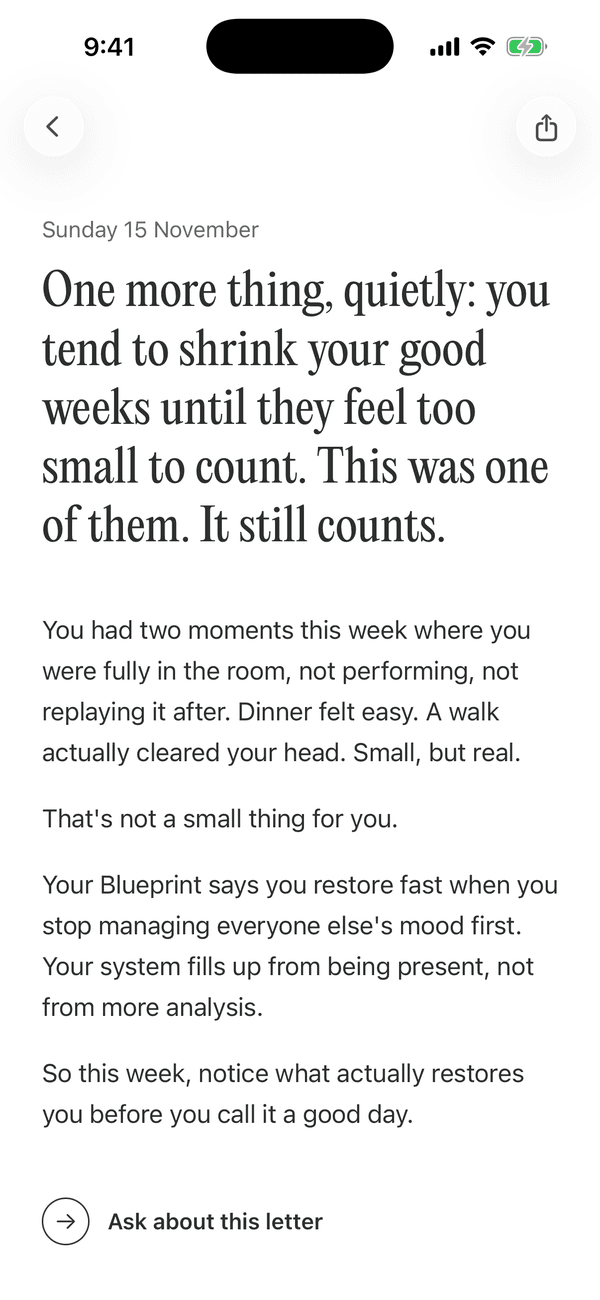
No public rating yet. Natus is not an archive app and it is not built to replace Day One. It is a private journal that starts from a First Reading built from your name and birth details, then reads your own week back to you every Sunday, including the days you missed, and builds toward a 40-part Blueprint. It suits the person who has journalled for years and rarely gone back to read it.
Every app compared
Checked on the US App Store, 22 November 2026. All apps are free to download.
Day One
- Rating
- 4.83
- Ratings
- 119,063
- What is free
- Free to write; Gold adds more journals and sync.
- Watch out for
- Reviews say macOS access needs a separate payment.
- Best for
- The fullest daily journal
Apple Journal
- Rating
- 4.78
- Ratings
- 345,475
- What is free
- Fully free and built into the iPhone.
- Watch out for
- Reviews say you cannot export or share.
- Best for
- Free and already installed
Daylio
- Rating
- 4.77
- Ratings
- 62,592
- What is free
- A real, usable free tier.
- Watch out for
- Reviews say the paid tier is annual only.
- Best for
- Journalling when you hate writing
Stoic
- Rating
- 4.81
- Ratings
- 36,353
- What is free
- Free to download with a small free tier.
- Watch out for
- Short trial that reviews say charges for a year.
- Best for
- A prompt morning and night
Journey
- Rating
- 4.64
- Ratings
- 5,067
- What is free
- Free to download; more features need a plan.
- Watch out for
- Reviews describe charges after cancelling.
- Best for
- Guided prompts across devices
Rosebud
- Rating
- 4.88
- Ratings
- 3,408
- What is free
- A free trial, then a paid plan.
- Watch out for
- Reviews describe usage caps after paying.
- Best for
- A journal that answers back
Diarium
- Rating
- 4.80
- Ratings
- 2,100
- What is free
- Free to download. One-time purchase, no subscription.
- Watch out for
- Plainer design than the others.
- Best for
- One payment instead of a subscription
Natus
- Rating
- No public rating yet
- Ratings
- No ratings yet
- What is free
- The First Reading is free before the paywall. Check the app for free Ask and Sunday access.
- Watch out for
- Not an archive; no photo-rich timeline.
- Best for
- A journal that reads your week back
How this list was built
We read the 25 most recent US App Store reviews for each app on this page on 22 November 2026, along with the store's own rating and rating count for each one. The order reflects who each app genuinely serves, not who paid for a spot. Natus is ours and it is listed last on purpose, because it is not an archive app.
The short version
Want the best archive: Day One. Want free and built in: Apple Journal. Hate writing: Daylio. Want prompts morning and night: Stoic. Write across devices: Journey. Want answers back: Rosebud. No subscription: Diarium. Want your week read back to you: Natus.
Best daily journaling app for most people
Day One. It has the features that make a daily habit survive: multiple journals, photos, locations, search that works, and export tools you can trust. Rated 4.83 from 119,063 ratings, it is the app the others are measured against. The trade-off is price and platform. Recent reviews complain about paying again to read the same journal on a Mac, and about support being slow. If your journal lives on your phone, Day One is the safest default.
Best free daily journaling app
Apple Journal. It costs nothing, it is already on your iPhone, and it uses your photos, music and workouts to suggest what to write about, which removes the hardest part of a daily habit: starting. Rated 4.78 from 345,475 ratings, it is the most reviewed app on this page. The one complaint worth acting on is export. People say they cannot get their journal out or share it, so treat it as a comfortable place to write rather than a safe long-term archive.
Best daily journaling app when writing feels like a chore
Daylio. Two taps is a complete entry: a mood, a few activities, done. Over a month it produces a pattern most people could not have named, and it does it without asking for sentences. The free tier is genuinely usable. Its reviews say the paid tier is annual only, so stay on free until you are sure. If you want prompts instead of buttons, Stoic is the calmer version of the same idea.
Why daily journaling apps fail
Read the reviews and the pattern is not laziness, it is design. The apps that stick ask less per entry, cost less attention, and never punish a gap. The ones that fail are the ones that turn a missed day into a reset, or charge for the features that made the habit work in the first place. A daily journal is a small act, repeated. The moment an app makes the act feel like a debt, people stop.
Where Natus fits, and where it does not
If you want to archive your life with photos, Day One is better and Natus will never match it. Natus is not an archive. It is a private journal that starts from a First Reading built from your name and birth details, then reads your own week back to you every Sunday, including the days you missed, and builds toward a 40-part Blueprint. It exists for the person who has years of entries and has almost never gone back to read them, and who wants the writing to answer something.
The honest short version
Archive: Day One. Free: Apple Journal. Effortless: Daylio. Prompts: Stoic or Journey. Answers back: Rosebud. No subscription: Diarium. Read your own week back: Natus.
Common questions
- What is the best daily journaling app?
- Day One is the best overall daily journal, with the most complete set of tools and the strongest archive. Apple Journal is the best free one, Daylio is the best if writing feels like a chore, and Natus is the one to pick if you want your week read back rather than just stored.
- What is the best free daily journaling app?
- Apple Journal is free, built in, and very easy to write in daily. Daylio has a genuinely usable free tier. Natus is free to start: your First Reading and up to three onboarding questions.
- Why do I stop journalling after a few days?
- Usually not motivation. Daily journaling fails when the entry asks more than the day gave, or when the app frames a gap as a reset. Daylio solves it by asking two taps, Apple Journal by making prompts effortless, and Natus by reading your week back even when you missed days.
- Do daily journaling apps lose your entries?
- Some do, and it is one of the most common complaints in this category. Day One and Diarium both have solid export tools, Apple Journal's weakness is that people say they cannot export, and several apps here have reviews about lost progress. Whatever you choose, export regularly.
- What is the best journal app with prompts?
- Journey and Stoic both lead on prompts, and Day One has good templates. Natus is different: its prompts come from your own week and your own details rather than a shared library, so what it asks is specific to you.
- Which journal app should I use if I want to understand myself?
- Most journals store what you write and leave the meaning to you. Natus is built the other way: a First Reading from your name and birth details, then your week read back against it every Sunday, so the writing turns into a pattern you can actually see.
- Is there a journal app without a subscription?
- Apple Journal is free, and Diarium is a one-time purchase rather than a recurring plan. Natus is free to start with no plan needed. If you do subscribe to any of the others, use Apple's subscription settings so it is easy to see and cancel.