Safest journal apps that do not lose entries (2026) | Natus
The safest journal apps for keeping entries: Day One and Diarium for the strongest export tools, Natus for a journal that stays connected and reads back, Daylio for simple reliable sync, and Penzu for encrypted entries with a catch we cover below. The blunt truth from the reviews: every journal app has lost somebody's entries, so the safest setup is a good app plus a regular export habit.
What people say in their own reviews
Verbatim from public 1 and 2 star App Store reviews of other apps in this category, not Natus.
Lost all entries1 star review on Apple Journal
Got a new phone, all entries lost in transition.
You will lose your entries.1 star review on Apple Journal
I got a new phone backed everything up like I always do. Opened journal on the new phone and all my entries were gone. I was heartbroken.
5 years of entries lost1 star review on Journey
I have been attempting to talk to a human through the chat help for 5 days. And I just want my last 5 years of entries found. I've found several forums of other people missing entries who say no one ever helped.
Do NOT use Penzu, you will lose years of journaling1 star review on Penzu
I used it as an online journal then all of a sudden I cannot login. When I tried to contact support it said I needed to upgrade to a paid subscription. So years of journaling is just lost because I don't want to give money to a scam site?
The options
Day One
Best for: the strongest export and backup tools
The most mature option: export to PDF, JSON and more, multiple journals, long track record. Its 1 star reviews are about price and lost access after updates, not daily writing, so export anyway.
Diarium
Best for: one-time purchase with real sync
Syncs across iPhone, iPad, Mac and Windows for a single payment, and imports from other apps. The pragmatic pick for people leaving a journal that lost their archive.
Natus(this is us)
Best for: a journal that stays connected to itself
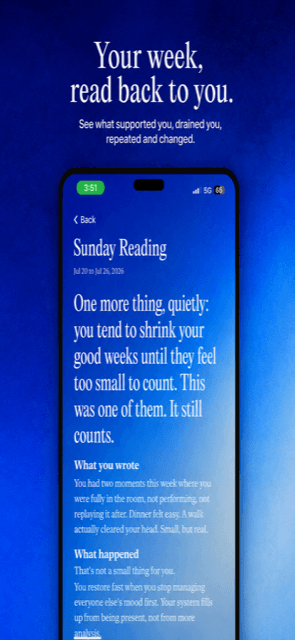
Your entries live in one connected context alongside your reading, and every Sunday the week is read back, so a lost week is something you would actually notice. It is new and iPhone only, so pair it with the same export habit as everything else here.
Daylio
Best for: simple entries that sync quietly
Small entries mean less to lose, and its sync has a decent reputation. Good for a quick daily record rather than long writing.
Penzu
Best for: encrypted private entries
Included with a warning, not a recommendation. Penzu's whole pitch is a private locked journal, yet its 1 star reviews are full of people locked out of years of entries with support gated behind payment. If you use it, export constantly.
The uncomfortable truth first
Every journal app has lost someone's entries. "Got a new phone, all entries lost in transition" is not an edge case, it is one of the most repeated complaints in the entire category. So this list is not about finding a perfect app. It is about finding a good app and building the one habit that actually protects you.
The habit that matters more than the app
Export. Monthly, to a file you control. Day One and Diarium make this easy, which is why they top the list. Reviews show the failures are rarely about writing quality: they are logouts, botched syncs, updates that wipe pages, and support that cannot get your years back.
Where Natus fits honestly
Natus is the youngest app here. Its structure helps: one connected context rather than scattered entries, and a weekly read-back that makes a missing week obvious immediately. But the same rule applies to it as to everything on this page: keep your own export. Any app that asks you to skip that habit is asking for trust it has not earned.
Common questions
- Which journal app never loses entries?
- Honestly, none. Lost entries are the second most common complaint across journal app reviews, and it hits Apple Journal, Journey, Penzu, Zinnia and Reflectly alike. The safe pattern is a well-built app plus your own periodic export.
- How do I back up my journal?
- Use the app's export feature monthly: Day One and Diarium both export cleanly. Also make sure the account behind the journal is one you can actually recover, since many lost journals are really lost logins.
- I already lost a journal once. What should I switch to?
- First pick an app with real export, then set a monthly reminder to use it. For the writing itself, Natus keeps entries inside one connected context and reads them back weekly, which makes missing history visible fast instead of discovered years later.